Graveyard Keeper 2 Fatigue — the Blue Zz Icon, the Purple Bar Segment, and Sleep
Published 2026-09-236 min read
How fatigue works in Graveyard Keeper 2: the blue Zz sleep-deprivation icon, the purple segment capping your energy bar, why food can't fix either, and the sleep rules that clear them.
Graveyard Keeper 2 splits "tired" into two separate states, and mixing them up is how players end up eating pie after pie while their bars refuse to refill. Here's how to read both signals — the blue Zz icon and the purple segment on your energy bar — and exactly what clears them.
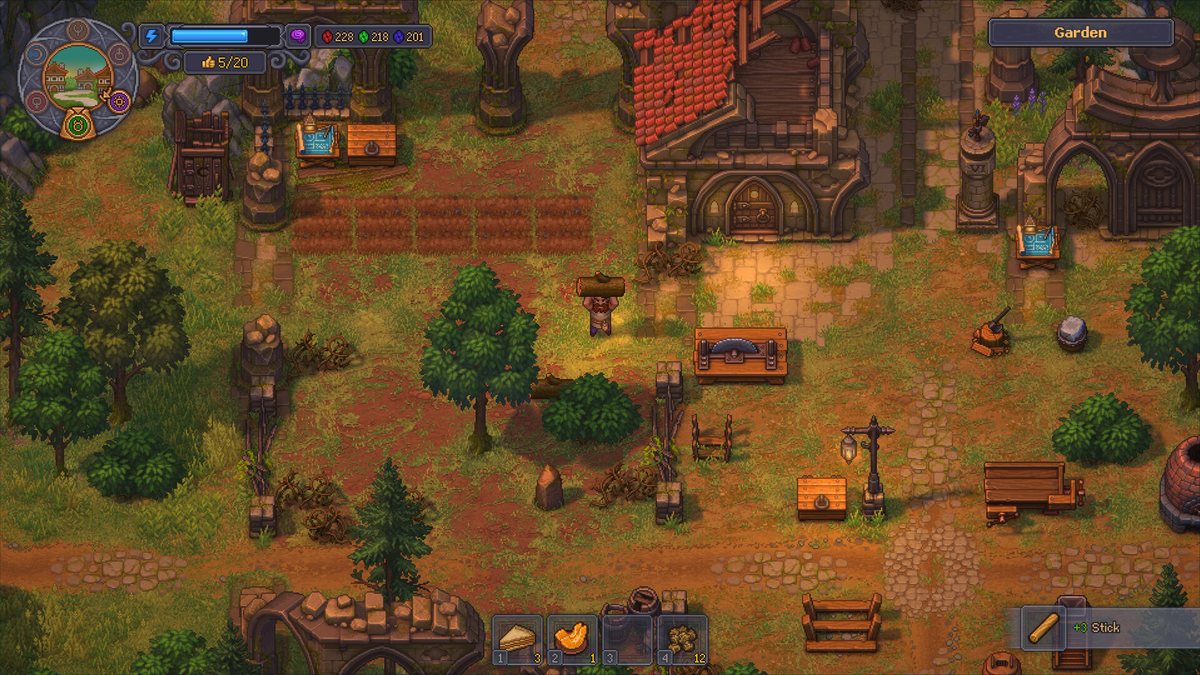
Quick answer
The blue Zz bubble at the top center of the screen is sleep deprivation — it appears after roughly two in-game days without sleep, and only sleeping removes it. The purple segment at the end of the energy bar caps your maximum energy; it only shrinks after repeated nights of sleep. Food fixes neither.
The blue Zz icon: sleep deprivation
The sleep-deprived state shows as a blue bubble with a "Zz" at the top center of the screen — not among the meters in the corners. It first appears with a short sound cue, which is often the only notice you get mid-task.
Hover the icon and its tooltip labels the state "sleep deprived" and lists both penalties: working while it's active consumes extra energy per action and makes sanity rise faster.
The trigger is hours awake, not an empty energy bar. The bar draining to zero merely stops you from acting until you eat or rest — it never applies the state by itself. Keep eating and working and you can push through a full day-night cycle without seeing the bubble; around two days without sleep it appears no matter how full your energy is. That's why food-only players are always surprised by how late it shows up.
While the debuff is active:
- Every action costs more energy than usual.
- Every task — morgue work and crafting included — pushes sanity higher than it otherwise would.
- Rising sanity shrinks your usable energy pool, so food restores effectively less.
Sleeping it off — the only cure
- Finish (or abandon) the current task and go to your house. Enter through the door.
- Walk to the bedroom, stand by the bed until the sleep prompt appears, and interact. Sleeping is the only way to remove sleep deprivation — food, beer and pie do nothing to it.
- Sleep through the night. On waking, the Zz bubble is gone, energy is refilled, and a fixed amount of sanity has been removed.
Two details trip people up. Sleeping while not sleep-deprived refills energy but leaves sanity untouched — which is why some players conclude sleep does nothing for sanity. And the sanity reduction per sleep is a fixed amount, so if your meter has already built up heavily, part of it survives the night; serious buildup takes more than one night of proper rest.
The purple segment: your capped energy ceiling
Sometimes a purple stretch sits at the end of the blue energy bar that no amount of food will fill. That's accumulated fatigue: it caps the maximum energy you can hold, so a full meal or a full night still stops refilling where the purple begins. The character functions as if permanently short-staffed.
Fatigue builds fastest from corpse work — autopsies and grave digging — though it isn't strictly limited to the morgue. It hits hardest in the early game, when you're clearing the base and handling corpses bare-handed with no automation to lean on.
The rules for clearing it:
- Only sleep removes it, and not every sleep. Expect the purple to shrink over roughly two to three nights, not one.
- If purple remains after a night's sleep, the rest didn't fail — keep a normal day-night rhythm and it clears over the next few sleeps.
- It's gone when the energy bar refills to its full length again.
What actually helps, day to day
- Treat the Zz bubble as a hard stop. Finish the task in progress, then sleep immediately. Pushing through the debuff burns more food than it saves.
- Don't run the bar to zero before resting; working from a nearly empty bar makes the problem compound.
- Carry cooked food to refill the blue bar during the day — berry pie restores 30 energy and trims 3 sanity per serving.
- Skip beer as a routine fix. Its tooltip advertises a chunky sanity cut, but the cap-focused guides still flag alcohol as a net loser for your purple ceiling over time. Treat it as an emergency button, not a habit — and don't eat the "fat" harvested from corpses either.
- Bake pies in batches once the kitchen runs: 4 dough + 6 berries bakes four pies, and a stocked pantry keeps the sanity meter quiet for days.
Food manages the energy you spend today; sleep resets the ceiling you'll work under tomorrow. Schedule both and fatigue stops being a mystery timer — it's just part of the loop.